Exporting Genesys Cloud prompts to CSV with a Function
A Genesys Cloud Function that exports all of an org's prompts to CSV, one row per prompt and one column per language, ready to use in a spreadsheet.
10 June 2026
The Genesys Cloud API lets you export your prompts (the audio messages used in flows), but the JSON it returns is hard to work with: a nested structure, per-language resources, barely readable for reviewing or translating.
This article describes a tool to turn that export into clean CSV, deployed as a Genesys Cloud Function so it’s available on demand to any administrator, with no external dependency.
💡 The full code is available on my GitHub: github.com/antoningar/genesyscloud-csv-prompt-exporter. You can clone it and deploy it in your own org.
The problem: hard-to-use JSON
Genesys Cloud prompts are multilingual: each prompt has one resource per language, with its TTS text. Retrieved through the API, they come back as nested JSON perfect for a machine, painful for a human who wants to review all the messages, check translations or share them with a business team. What you actually want is a table: one prompt per row, one language per column.
The principle: call the API, format as CSV
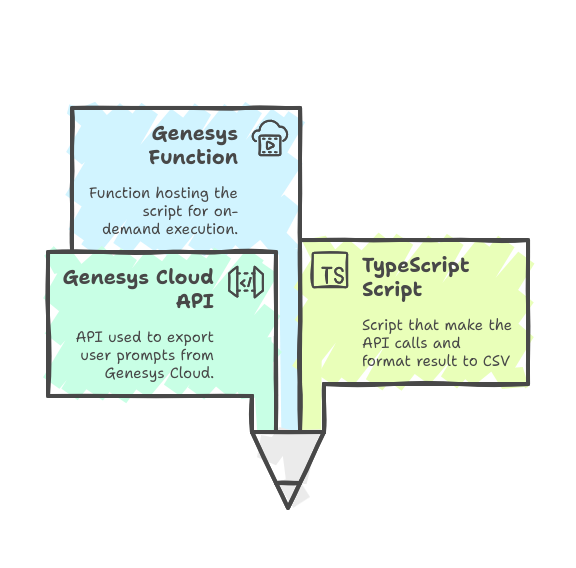
- Fetch the prompts the function authenticates via OAuth (client credentials) then queries the
ArchitectApifrom thepurecloud-platform-client-v2SDK. Prompts are retrieved page by page (100 per page) until exhausted, which covers orgs with a large catalog. - Normalize the data for each prompt the name, description and the list of resources (TTS text, duration, language) are kept. Prompts are sorted by name.
- Build the language columns the tool walks through all prompts to collect every language present, sorted, and turns them into the CSV columns.
- Generate the CSV a
name, description, <language 1>, <language 2>…header, then one row per prompt, each language cell holding the matching TTS text (or empty if that language doesn’t exist for the prompt). Values are escaped cleanly: quotes replaced, line breaks flattened, for a CSV that opens without a hitch in a spreadsheet.
Why a Genesys Cloud Function
Originally it was just a script to run locally. Genesys Cloud Functions made it possible to host and execute it directly within the platform, with no server and no external dependency to maintain. The export becomes an on-demand service: any administrator can grab the up-to-date CSV whenever they need it.
Concretely, the serverless handler receives the OAuth credentials (gc_client_id, gc_client_secret, gc_aws_region) through the integration headers, validates their presence, runs the export and returns the CSV 400 if credentials are missing, 500 on error, 200 with the CSV content otherwise.
Technical stack
- Genesys Cloud Functions (serverless handler, AWS Lambda model)
- TypeScript for the export and formatting logic
- purecloud-platform-client-v2 SDK (
ArchitectApi, client credentials grant authentication, pagination) - BDD tests with Cucumber, packaged as a
.zipuploaded into the function’s data action
The sample on GitHub
The complete code of the function is available open source: github.com/antoningar/genesyscloud-csv-prompt-exporter. The repository contains the handler, the CSV conversion logic, the tests and the instructions to package and deploy it as a Genesys Cloud Function.
Going further
Cleaning up Genesys Cloud agent scripts with a Function
Native asynchronous workflows on Genesys Cloud
Infrastructure as Code
My work