Native asynchronous workflows on Genesys Cloud
A 100% native Genesys Cloud pattern to run long-running tasks in the background without keeping the caller waiting, using a workflow and participant data as the communication channel.
10 June 2026
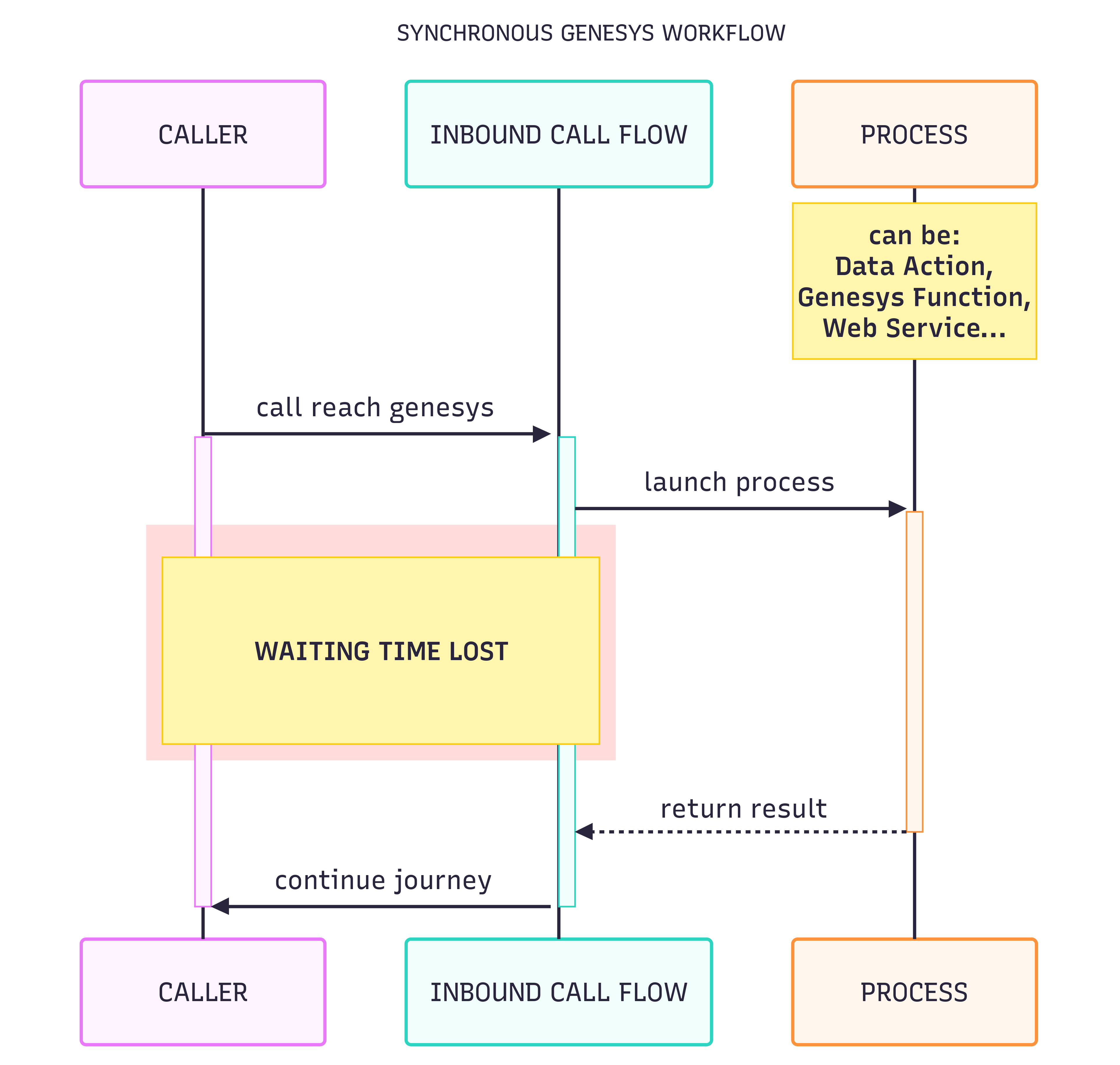
On a Genesys Cloud contact center, an inbound call flow sometimes needs to trigger a task that takes time: a call to an AI, queries to several web services, complex business processing. Until that task replies, the classic Architect flow stays blocked waiting, and it’s the caller who endures the silence.
This article describes a design pattern to make this processing asynchronous, while staying 100% within the Genesys Cloud ecosystem, with no external middleware.
💡 A complete, working sample is available on my GitHub: github.com/antoningar/genesys-cloud-async-worklfow. You can clone it to start from a concrete base.
The problem: synchronous waiting time
In a synchronous process, the caller endures the task’s execution time. If an AI-based intent recognition takes more than 5 seconds, or if identifying the customer requires three successive REST calls, those are seconds of silence during which the flow does nothing but wait. The waiting time is purely lost.
The principle: a workflow and participant data
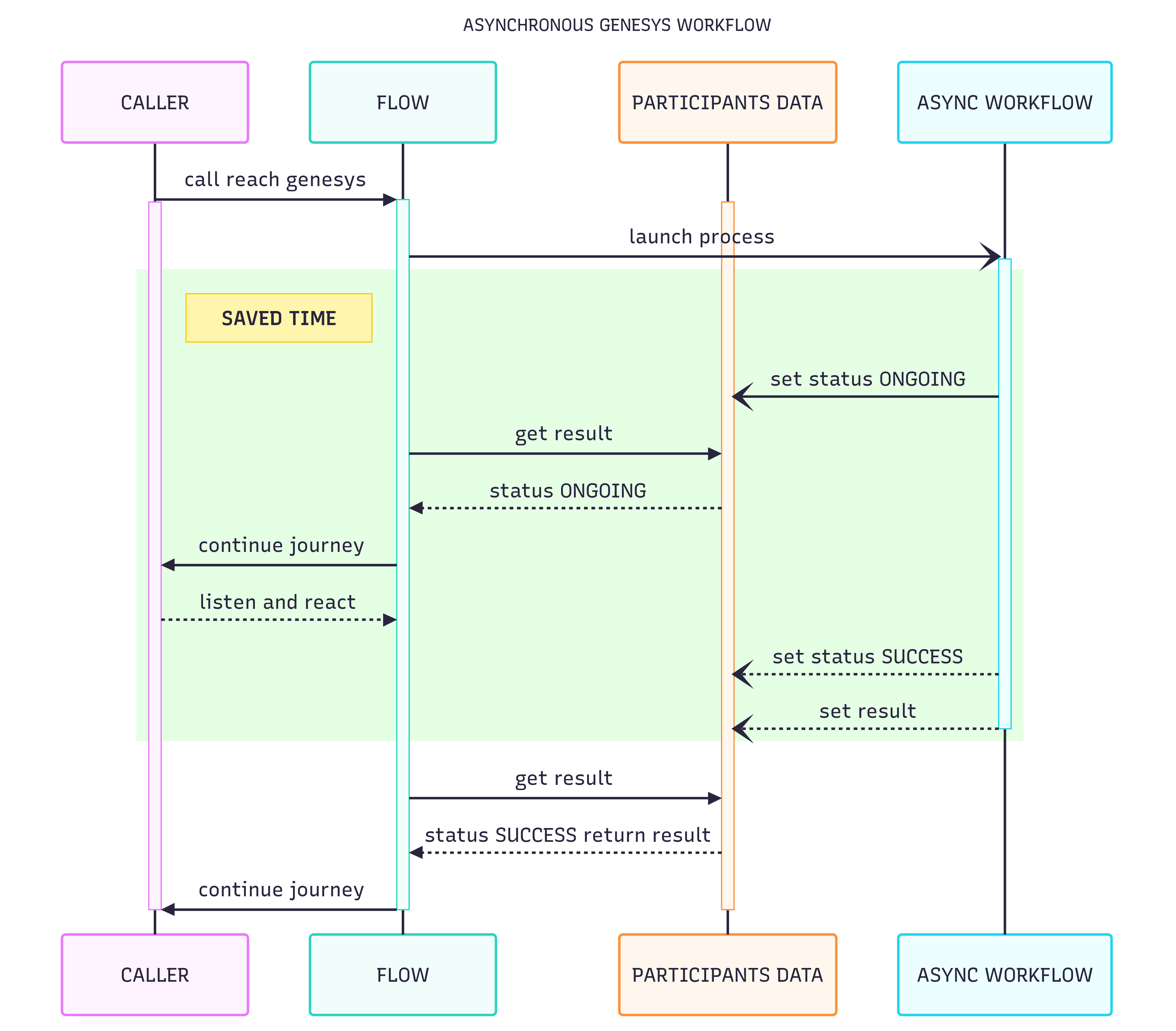
The idea is to offload the long-running task into a dedicated workflow that runs independently of the call flow, and to use the conversation’s participant data as a bidirectional communication channel between the two.
- The inbound call flow launches the workflow through an internal REST call
POST /api/v2/flow/execution/{workflowId}, passing theconversationIdand the relevant data in the body. This internal call is extremely fast. - The workflow then runs independently of the call flow.
- The participant data acts as a shared channel: the workflow publishes its status (
ONGOING, thenSUCCESS) and its result there; the call flow reads them back at regular intervals. - While the workflow is working, the call flow keeps the caller engaged: messages, questions, qualification steps… The waiting time becomes useful time.
- When the status switches to
SUCCESS, the flow retrieves the result from the participant data and resumes the journey as usual.
Use case 1: AI intent recognition
The caller’s STT is captured in the inbound flow, then sent to a workflow that queries an external AI for intent recognition. While the AI is thinking (often more than 5 seconds on a long sentence), the flow tells the caller about a charity event organized next Saturday and shares a few details. When the intent comes back with the SUCCESS status, the call is routed to the right queue.
Use case 2: Identification via multiple web services
After acquiring two competitors, identifying a caller by their phone number requires three REST calls to three separate customer databases. The workflow chains these calls in the background while the flow asks the caller for the reason of their call and whether it’s a first contact. As soon as one database returns a match, the identity is published in the participant data and the personalized journey can begin.
Pros and cons
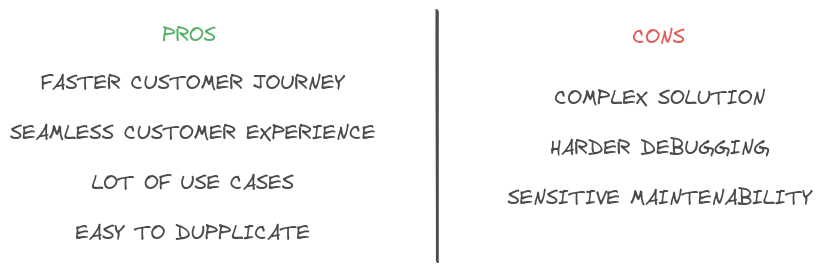
Pros: faster customer journey, seamless experience, many use cases, easy to duplicate from one project to another.
Cons: more complex solution, harder debugging, sensitive maintainability.
Technical stack
- Genesys Cloud Architect workflows and flows
- Participant data as the communication channel between flows
- Internal (
/api/v2/flow/execution/{workflowId}) and external (web services, AI) REST calls
The sample on GitHub
The complete implementation of this pattern is available open source: github.com/antoningar/genesys-cloud-async-worklfow. The repository contains the flows, the workflow and the documentation to reproduce the solution in your own Genesys Cloud org.